
A classroom can become outdated long before its furniture does. University classroom AV may need refreshing several times during the life of classroom furniture. Effective future-proofing university classroom technology means planning for different replacement cycles, evolving teaching formats, and adaptable power and data infrastructure.
That mismatch is easy to overlook when a room is planned as a single project. Equipment, furniture, and the infrastructure connecting them do not age at the same pace. A design that works for today’s teaching model can become difficult to adapt as in-person, blended, and remote learning needs change.
Plan around technology lifecycles, coordinate replacements with longer-lasting furniture, and build flexibility into power and data provision. Classroom systems should support different teaching configurations, so upgrades can be managed without redesigning the room.
Key Takeaways
- Plan blended teaching around room layouts and systems that can support both digital participation and in-person instruction.
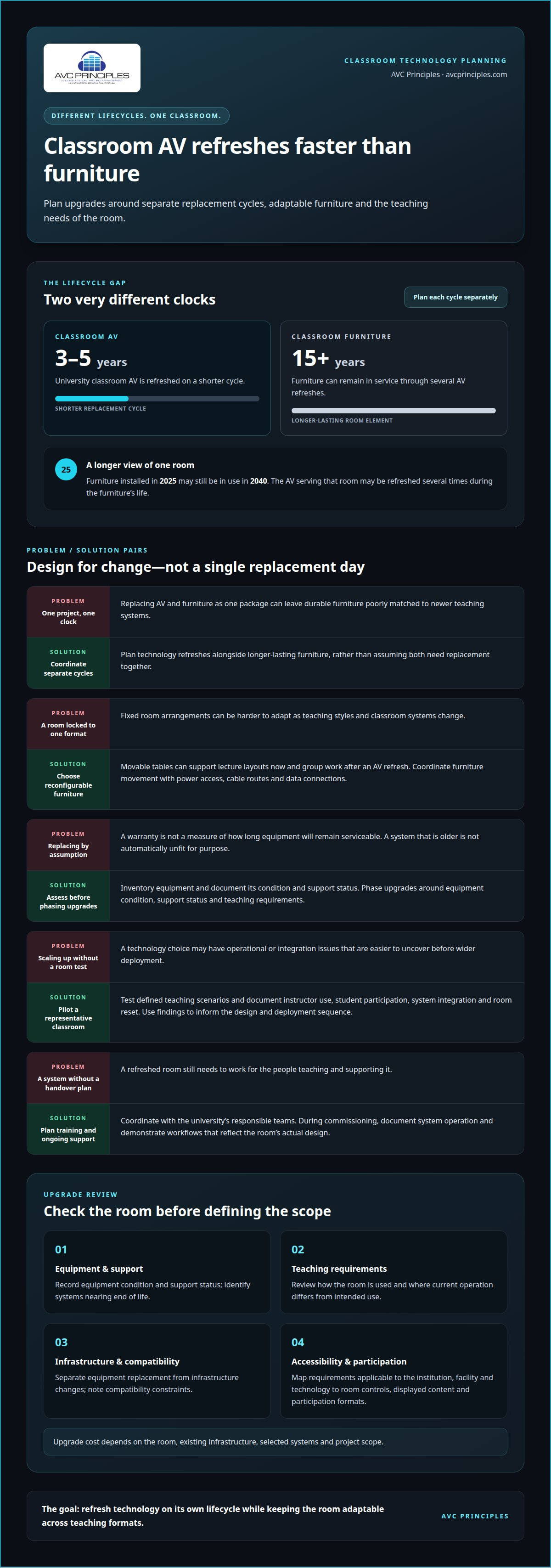
- Coordinate technology refreshes with furniture replacement: classroom AV may turn over every three to five years, while furniture can last fifteen or more years.
- Use lifecycle planning to anticipate support and replacement needs, rather than treating warranties as a measure of how long equipment will remain serviceable.
- Design power and data infrastructure for change, so future classroom configurations and devices can be accommodated without avoidable redesign.
- Assess emerging teaching technologies by how well they fit the university’s learning needs and can adapt as those needs evolve.
1. Integration of digital and in-person learning
Future-proofing university classroom technology starts with teaching modes, not a fixed equipment list. A seminar may combine in-room discussion with remote participation, recorded materials, and asynchronous follow-up. The room should support those activities without a full technical reset between classes. Map teaching scenarios first, then align the room layout, audiovisual coverage, and network connections with each one.
Hybrid participation depends on clear sightlines and intelligible audio for both groups. A lecturer moving between a display and a whiteboard, for example, needs camera coverage that preserves remote students’ view. Seminar discussions also need audio coverage beyond the lectern. Treat these as design requirements tied to teaching practice, not reasons to specify equipment without a defined use.
Active learning also affects furniture and technology placement. Freeman et al.’s meta-analysis, published in PNAS, examined 225 studies of active learning. That evidence makes room configuration a relevant design consideration: small-group discussion, collaborative work and instructor-led explanation require different arrangements. Reconfigurable tables should reset in under five minutes without tools, so a teaching team can change formats between classes.
Mobile furniture and integrated power can support changing layouts when power remains accessible in each configuration. Design professionals can coordinate table movement with outlet locations, cable routes, and data connections. A collaborative layout, for example, should not leave students relying on a single fixed wall outlet. Plan movement and access together rather than treating furniture and infrastructure as separate decisions.
Protecting classroom technology and learning data starts with mapping system connections in coordination with university IT. Document network boundaries, access controls, and data flows to identify how classroom devices connect to learning platforms and institutional systems. This gives campus teams a clearer basis for applying their cybersecurity policies to room technology.
AI-supported learning raises questions of integrity as well as technology. Musashino Art University’s president has said AI use in creative work should be disclosed and controlled. Universities can reflect that principle in classroom workflows by clarifying when students should disclose AI assistance and how instructors will address its use. Technology supports the process; teaching policy defines expectations.
These strategies connect learning objectives to room operation. A professional design process can document teaching scenarios, assess camera and audio coverage, and coordinate mobile furniture with power and data access. The result is a classroom planned for digital and in-person participation, with clear technical boundaries and defined expectations for AI use.
2. Classroom technology and furniture replacement cycles
Classroom technology and furniture follow different replacement schedules. University classroom AV is refreshed every three to five years, while classroom furniture lasts fifteen or more years. A room furnished in 2025 may still be in use in 2040. Planning them as one replacement project can leave durable furniture poorly matched to newer teaching systems.
Technology purchased in early to mid-2020 may now be nearing the end of its useful life. A university can phase upgrades by equipment condition, support status and teaching requirements. That approach helps distinguish a system that needs replacement from one that remains fit for purpose. It also lets higher ed teams coordinate planned efforts with classroom use.
Furniture decisions need a longer view. Classroom furniture may remain in service through several AV refreshes. Specify reconfigurable furniture so the room can support different teaching styles over multiple technology cycles. Movable tables, for example, can support lecture layouts now and group work after an AV refresh.
Accessibility requirements in the United States depend on the institution, facility, and technology. A professional assessment maps applicable requirements to room controls, displayed content, and participation formats. An upgrade review, for example, can consider whether students can access instructional content and operate classroom controls through the planned interfaces.
The cost of upgrading a university classroom depends on the room, existing infrastructure, selected systems and project scope. The price is provided after a quote request. A professional assessment can separate equipment replacement from infrastructure changes, helping the university define the work before budgeting.
Before an upgrade, inventory existing equipment, document its condition and support status, and review teaching requirements with campus teams. This assessment can identify systems nearing end of life, compatibility constraints, and gaps between current room operation and intended use. It also ensures student and faculty needs inform the upgrade scope.
A pilot helps evaluate new technology before wider deployment. A professional can configure a representative classroom, test defined teaching scenarios, and document operational issues. The evaluation might cover instructor use, student participation, system integration, and room reset. Findings can then inform the final design and deployment sequence.
Plan faculty training and ongoing support with the university’s responsible teams. During commissioning, a professional can document system operation and demonstrate the intended classroom workflows. Training should reflect the room’s actual design, such as switching between presentation and discussion modes, rather than assume every course uses technology in the same way.
Warranty and service status add another planning layer. Manufacturer warranties do not determine a product’s full useful life, and support availability can change after discontinuation or when replacement parts run out. Track support status alongside furniture condition and teaching requirements to coordinate replacement decisions.
3. Classroom technology lifecycles
Higher education leaders need separate lifecycle expectations for different classroom systems. Computing systems turn over every three to five years, while classroom AV turns over every four to seven years. Those ranges are planning references, not a single replacement date for every device. A classroom display, computer and camera may therefore need separate review schedules, even when they serve the same course.
Pan-tilt-zoom cameras that move regularly may have a shorter lifecycle than other classroom technologies. Their operating condition and service history are important review inputs. A professional lifecycle assessment can group equipment by function, support status, and condition. A camera with recurring faults, for example, may need attention before a stationary display in the same room.
Manufacturer warranties for classroom technology generally don’t extend beyond five years. Warranty coverage and useful life are different planning measures: a device may remain operational after coverage ends, while a supported product may still fail to meet teaching needs. Leaders can record warranty dates, service status and compatibility constraints together. That gives education teams a fuller basis for scheduling replacement.
A lifecycle register can link each asset to its room, function, installation date, and replacement criteria. Then map related dependencies, such as a camera relying on a control system or a display receiving signals from a teaching computer. If one component changes, the dependency record helps identify which other systems need testing. This makes each upgrade phase easier to scope.
Discontinuation also affects lifecycle decisions. Manufacturers generally stop servicing technology after a product is discontinued or once replacement parts run out. Some products, such as large video walls, may receive a grace period of a few years of support after discontinuation. A professional plan records these differences rather than assuming every product has the same support window.
A professional can help universities reduce the environmental impact of classroom technology by coordinating replacement with actual condition and teaching requirements. They can also plan device-management schedules that power classroom systems down after classes, rather than leaving rooms operating 24 hours a day. This connects lifecycle decisions with the university’s sustainability efforts.
Replacement planning should also include end-of-life handling. A professional can document which equipment is being removed, what remains in service and which dependencies need updating. For example, a computing refresh may require testing the classroom’s AV signal path before teaching resumes. Clear records help campus leaders coordinate procurement, installation and commissioning across higher education spaces.
These lifecycle controls turn replacement into a managed process. Separate schedules for computing, AV, and motion-intensive cameras help prevent one calendar from driving every decision. Combined with support records and room-level dependencies, they give university leaders a practical framework for maintaining classroom systems as education needs evolve.
4. Flexible power and data infrastructure
A classroom layout can change faster than its floor infrastructure. Four-outlet floor boxes may not meet classroom power needs by 2030. Treat that figure as a planning warning, not a universal outlet count. A professional assessment maps teaching layouts, device locations and existing connections, then identifies where fixed access constrains room use.
Start with a room-by-room infrastructure plan. A seminar layout may place students around shared tables, while a lecture layout may concentrate devices near the instructor. Show how power and data remain accessible in each configuration. This helps campus teams identify dead zones, cable crossings, and reliance on a single fixed wall connection.
Coordinate power provision and furniture placement. Mobile tables can create new demand points as layouts change, so the infrastructure plan should show how those locations will be served. A professional can compare the current arrangement with intended teaching scenarios and assess whether the system meets current needs and can adapt as they evolve.
Data infrastructure must support the classroom’s system relationships. A design review documents which room devices require network connectivity and how those connections align with campus infrastructure. Displays, instructor computers, and conferencing equipment, for example, may serve different operational roles. Mapping these relationships clarifies connection requirements and supports coordination with university IT.
Plan for change without assuming a specific future device. Instead, document the pathways and access points that allow infrastructure to be adapted when room use changes. A professional can consider how cable routes, floor boxes and furniture positions interact. This makes later changes easier to assess without prescribing unsupported equipment specifications.
Future capacity depends on more than the number of outlets. Assess where users sit, which devices operate simultaneously, and how the room changes between teaching formats. Group work, for example, may distribute devices across the room, unlike an instructor-led presentation. Recording these scenarios gives designers a practical basis for infrastructure decisions.
Commissioning should test the designed connections in the actual room configuration. A professional can verify that planned power and data access points serve their intended locations, then document constraints for campus teams. This record supports future changes and helps prevent upgrades from overlooking infrastructure embedded in the room.
ICT Infrastructure Design brings these requirements into a coordinated plan. It connects classroom use, furniture movement, power access, and data pathways before installation decisions are finalized. For universities assessing whether existing systems meet current needs and can adapt, this process provides a structured basis for prioritizing infrastructure changes.
5. What classroom technologies are universities adopting for future-ready teaching?
The EDUCAUSE 2025 Horizon Report identifies AI-powered learning tools, spatial computing and distributed collaborative technology as near-term developments. These categories point to different teaching needs, not a single standard classroom package. Universities can assess each technology against instructional objectives, existing systems and the work required to integrate it. Adoption should follow a defined use case.
AI-powered learning tools can support learning activities, but their role needs clear boundaries. A university might evaluate a tool for a specific course task, then assess how faculty and students use its outputs. The review should include data flows, platform integration, and teaching policy. Creative coursework, for example, may require students to disclose AI assistance, as Musashino Art University’s president has said.
Spatial computing can introduce digital content into a three-dimensional learning environment. Its relevance depends on whether a course benefits from spatial interaction. A design course, for example, could assess whether students need to examine a digital object from multiple viewpoints. A pilot can establish room, connectivity, and teaching requirements before wider deployment.
Distributed collaborative technology supports participation across locations. A university might use it for a class attended both on campus and remotely. Design decisions should account for how participants share content, contribute to discussion, and follow the instructor. A useful evaluation tests the full teaching sequence, not merely whether the equipment powers on.
Selection requires an integration review. Campus teams can map how a proposed platform connects to existing classroom systems, learning platforms, and institutional networks. They can also document who administers the system and how faculty access its functions. This analysis reveals dependencies early and helps distinguish teaching requirements from features that add unnecessary complexity.
Technology platforms should evolve with university needs and remain flexible and adaptable. Assess how a system can accommodate changes in teaching practice, course formats, and institutional infrastructure. A platform selected for one department, for example, should be reviewed against the needs of other potential users before expansion. A clear use case helps guide the decision.
Evaluation should include faculty and student feedback. A university can gather feedback during a representative pilot, then use it to refine room workflows and training. The review might record how participants share materials, switch between activities, and access support. Findings should shape deployment criteria; installation alone does not demonstrate successful adoption.
Future-ready teaching depends on coordination between technology, infrastructure and instruction. A professional design process can translate the university’s use cases into system requirements and integration decisions. Discuss classroom technology design to align emerging tools with teaching objectives and campus infrastructure.
AVC Principles
AVC Principles helps universities translate teaching requirements into coordinated classroom technology and infrastructure plans. Turn to the firm when planning a new learning space, coordinating an upgrade, or aligning replacement cycles with future teaching needs.
Through AV Systems Design and ICT Infrastructure Design, AVC Principles addresses system integration, room functionality, and the infrastructure that supports classroom use. Its work can align technology decisions with furniture, power, and data requirements while accounting for lifecycle planning and blended learning. For specialized teaching environments, Staged Environment Engineering can also inform the design approach.
Early design coordination gives campus teams a structured basis for evaluating requirements before implementation. To discuss classroom planning, contact AVC Principles.
Set the direction for your next classroom
A disciplined approach to future-proofing university classroom technology begins with a clear view of how learning spaces should evolve. Turn campus priorities into design decisions that remain useful as teaching methods and institutional needs change. That requires coordination among academic leadership, facilities, and technology teams before project requirements are fixed.
Use the planning process to establish what each classroom must support, which decisions need cross-campus alignment, and how future changes will be assessed. Shared priorities give project teams a consistent basis for evaluating proposals and sequencing work. They also help ensure individual room decisions contribute to a coherent campus environment.
AVC Principles can help translate those priorities into an integrated design approach. Start a conversation with AVC Principles about your classroom and its future requirements. A well-defined direction gives your teams a stronger foundation for the decisions ahead.
Frequently Asked Questions
What Could Go Wrong?
A classroom upgrade can fail operationally when design decisions overlook how the room is actually used. A lecturer may switch from presentation to discussion, for example, but the control workflow may not support that transition clearly. Procurement can also overlook compatibility between new equipment and existing systems. Review complete teaching scenarios, document dependencies, and confirm that intended users can operate the final configuration.
What AV and hybrid-learning standards should university classrooms support?
Set project requirements for consistent operation, intelligible communication, accessible content, and compatibility with campus systems. Specify how remote participants will hear questions from the room and how instructors will share learning materials. Document these requirements before selecting technology, then use them as acceptance criteria during commissioning. The university should coordinate applicable accessibility and cybersecurity requirements with its responsible campus teams.
How can a professional help universities choose scalable, interoperable classroom technology?
A professional can document system interfaces, room functions, and campus dependencies before recommending a design. This helps identify whether a proposed platform can integrate with existing systems and support future changes. AVC Principles offers AV Systems Design and ICT Infrastructure Design for coordinated classroom planning. A design review, for example, can define how a teaching computer, display, and conferencing system work together.
How can a professional help universities budget for classroom technology maintenance and replacement?
Organize budget planning around asset condition, support status, system dependencies, and project scope. This helps university teams distinguish routine maintenance from replacement or infrastructure work. A room plan, for example, can identify whether replacing a display also requires changes to signal distribution. The resulting documentation helps finance and facilities teams coordinate priorities without treating every classroom as an identical upgrade.
What are the risks of vendor lock-in when buying classroom technology?
Vendor lock-in can make future changes dependent on one supplier’s products, tools, or support arrangements, complicating integration, replacement, and transitions to other platforms. A design professional can reduce that exposure by documenting interfaces, dependencies, and functional requirements independently of a specific product choice. Clear system documentation, for example, helps a university identify which components need adjustment if a platform is replaced.