
Home /
Digital Signage Design Starts With Infrastructure
October 1, 2026·15 min read
·
2,928 words 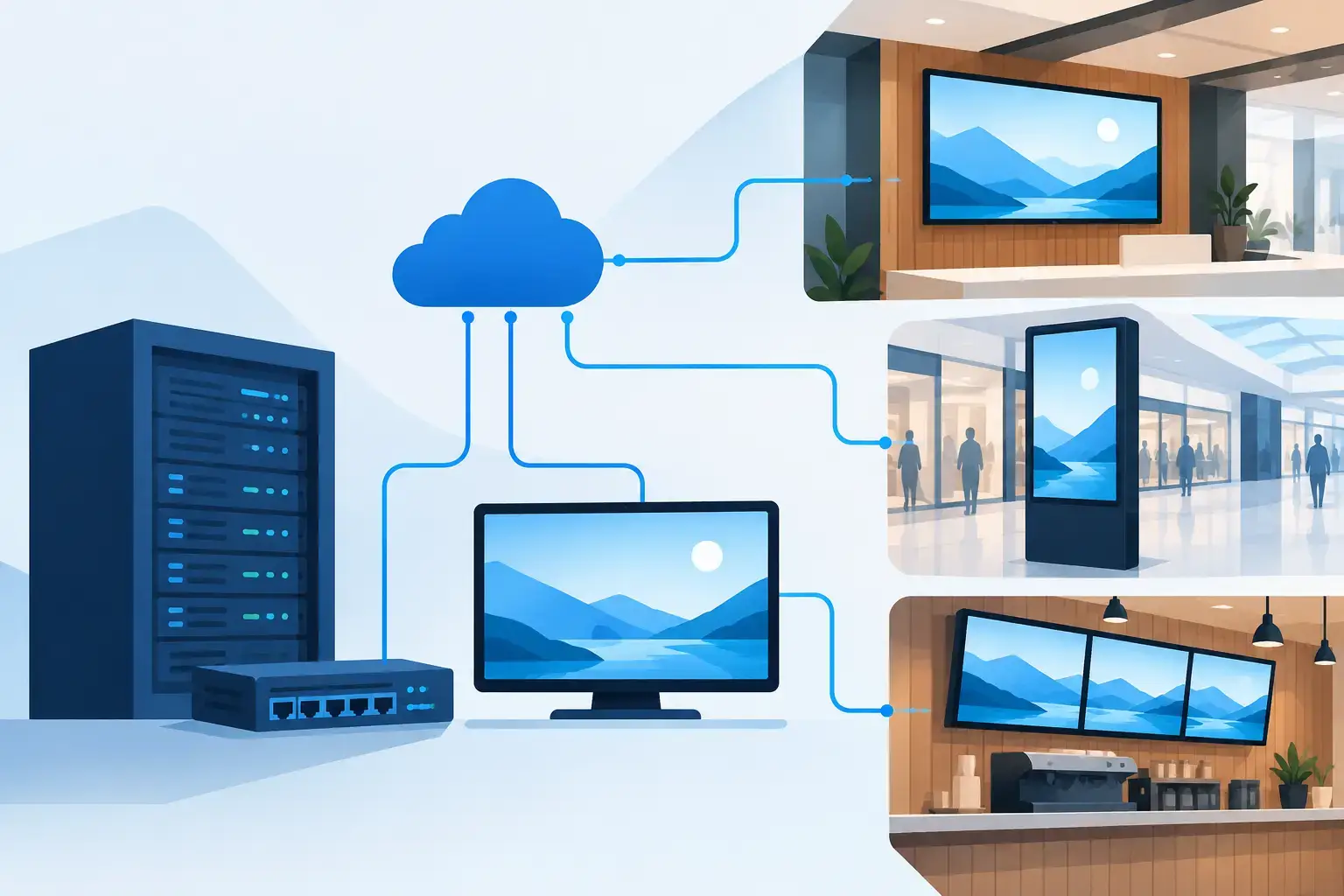
A lobby display that goes dark after opening day is rarely a display problem. It is usually the result of a digital signage scope treated as a late furniture selection rather than a building system. The screen may be specified, but its power, network connection, mounting support, thermal conditions, content workflow, and service access were never resolved together.
For commercial projects, digital signage is an operational communications system with architectural, AV, ICT, electrical, and construction implications. A successful deployment begins with the question that should guide every system decision: what must this location communicate, to whom, and under what operating conditions?
Digital Signage Is More Than a Display Package
Digital signage can support wayfinding, guest messaging, emergency communications, room scheduling, menu boards, brand content, production status, transit information, and event programming. Those use cases may share displays, but they do not necessarily share the same requirements.
A corporate lobby video wall is designed around visibility, visual impact, content quality, and the ability to support a branded guest experience. A hospital wayfinding display must account for accessibility, information hierarchy, uptime expectations, and content governance across multiple departments. A stadium concourse display may need to remain readable under high ambient light while supporting real-time event data and operating for long daily hours.
The display type is only one part of the decision. Project teams should establish operating requirements before choosing hardware. Resolution, brightness, display orientation, viewing distance, player architecture, network bandwidth, mounting method, and service clearance all follow from the actual use case.
When these decisions are deferred, the project often receives an attractive screen package with unresolved field conditions. The result is added blocking, exposed cabling, missing pathways, undersized enclosures, inaccessible media players, or a late request for network services that were not included in the IT scope.
Start With the Content and Operating Model
Content is not a separate issue to be addressed after installation. It determines how the system should be engineered.
A single display showing a rotating loop of approved marketing material can operate with a relatively simple management model. A distributed campus system serving multiple departments requires defined content roles, approval workflows, user permissions, scheduling rules, and escalation procedures. If local users can publish content, the owner must decide who controls templates, branding, screen zones, and emergency overrides.
The technical design should document whether content is cloud-managed, hosted on-premises, or delivered from an enterprise platform. Each model has different implications for cybersecurity review, internet access, firewall rules, account administration, software subscriptions, and long-term support.
Teams should also define what happens when the network connection is lost. Some media players can retain scheduled content locally. Others may show a blank screen, a static fallback image, or outdated information. None of these outcomes is automatically wrong, but the selected behavior must match the facility’s operational needs.
Emergency messaging requires additional discipline. It should not be assumed that a digital signage platform can serve as a code-required emergency communication system. The interface, message priority, triggering authority, reliability expectations, and authority having jurisdiction requirements must be evaluated for the specific project. A screen that can display an alert is not necessarily part of an approved emergency notification strategy.
Coordinate Digital Signage With the Building
Signage locations should be coordinated early with architecture, interiors, structural engineering, electrical engineering, IT, security, and the general contractor. This is where design intent becomes buildable work.
Wall-mounted displays may require backing, recessed boxes, trim conditions, ventilation, and a defined method for routing power and data without visible cords. Large-format LED walls introduce additional structural loading, cabinet depth, service access, heat, power distribution, control equipment, and installation tolerances. Direct-view LED is not simply a larger flat panel. It is a specialty assembly that needs detailed coordination before walls are closed.
Ceiling-mounted or freestanding displays create different constraints. Sightlines, head clearance, seismic requirements, floor penetrations, base loading, and cleaning access can all affect the installation. In public-facing locations, the design should also consider impact resistance, tamper exposure, and the ability to replace a failed component without disrupting adjacent finishes.
Electrical coordination is equally specific. A drawing that calls for “power at display” is not enough. The documentation should identify circuiting responsibility, receptacle type and location, whether power must be concealed, and whether equipment requires a dedicated circuit, surge protection, or backup power. Equipment rooms, display backboxes, and millwork cavities need enough capacity for media players, network switches, power supplies, and heat dissipation.
Network Design Cannot Be an Afterthought
Every connected display is an endpoint on the owner’s network. That makes the ICT design as consequential as the visible hardware.
The network scope should identify cabling pathways, outlet locations, rack terminations, switch ports, power-over-Ethernet requirements where applicable, VLAN segmentation, addressing approach, wireless dependencies, and remote management requirements. Display locations in exposed public areas may need protected pathways and secure connection points. Displays in an outdoor or semi-conditioned environment may require equipment rated for the temperature and moisture conditions actually present.
Bandwidth planning depends on content delivery methods, display count, video resolution, update frequency, and whether the platform uses local playback or continuous streaming. A system that appears to work during a limited demonstration may behave differently when hundreds of endpoints retrieve content, software updates, and monitoring data across a production network.
Cybersecurity is also a design requirement. Media players, system-on-chip displays, content management platforms, and remote support tools must fit the owner’s IT standards. Clarify who owns accounts, who applies firmware updates, who receives device alerts, and how credentials are handled when staff or service providers change. A signage system with no defined administrator becomes a facility liability shortly after turnover.
Specify for Service, Not Just Opening Day
Commercial displays fail. Media players fail. Power supplies fail. The question is whether the facility can restore service without removing finished walls or waiting for a custom workaround.
Service access should be shown on the drawings, not left to installer interpretation. This includes removable panels, swing-out mounts, rear access zones, cabinet clearance, rack space, and access to power and data connections. For LED installations, the service method must match the selected cabinet design. Front-service cabinets need clear front access. Rear-service systems need a realistic maintenance space behind the wall.
Standardization can reduce operational burden across a portfolio. Using consistent display sizes, player types, mounting approaches, and management platforms can simplify spare inventory, staff training, and replacement decisions. Standardization should not force every location into the same solution, however. A conference center, loading dock, executive lobby, and patient waiting area have different viewing and durability demands.
The specifications should define acceptable alternates carefully. Incomplete substitutions are a common source of field problems because a proposed display may have different dimensions, power requirements, mounting patterns, brightness, or control interfaces. A lower initial equipment price can create significant coordination cost if the alternate no longer fits the documented infrastructure.
Documentation Protects the Project
A coordinated digital signage package should communicate far more than screen locations. It should identify display and player schedules, mounting details, rack elevations, cable types, pathways, network requirements, power requirements, control connections, equipment labeling, and commissioning responsibilities. It should also establish division of work between AV, electrical, low-voltage, millwork, drywall, and structural trades.
This level of documentation reduces assumptions during bidding and construction. Contractors can price the same scope. Architects can protect finished conditions. IT teams can plan ports and security controls. Owners can understand what is required to operate the system after closeout.
Independent design matters here because equipment selection should follow documented performance criteria, not a preferred product line. The right solution may be a commercial LCD, a direct-view LED wall, a projection system, an interactive kiosk, or no display at all in a particular location. The engineering decision should be tied to the operational requirement and the construction condition.
Commissioning should verify more than whether the screen powers on. Test content publishing, scheduled playback, device monitoring, network recovery, control behavior, emergency-message priorities where applicable, and access for routine maintenance. Confirm that owners receive credentials, as-built records, warranty information, training, and a clear support path.
The best time to solve a signage problem is when it is still a line on a coordinated drawing. Once finishes are complete and occupancy is approaching, every unresolved pathway, circuit, access panel, and network port becomes more expensive to correct.
Previous articleAV System Design That Holds Up in ConstructionNext articleDivision 27 Specifications That Build Cleanly
More Articles
Broadcast Control Room Design: A 2026 Reference Guide
Sep 30, 2026 · 15 min read
Stadium Broadcast System Design Requirements: An Engineering Guide
Sep 29, 2026 · 15 min read
Sports Arena Broadcast Engineering: A Systems-First Guide
Sep 28, 2026 · 15 min read